
 Let’s Talk
How to Build and Manage Dedicated Development Teams: The Key to Scalable and Efficient Software Projects
10 September 2025
|
 Inument



Let’s be honest: from scrappy startups to Fortune 500s, every business now lives or dies by the quality of its software. Whether you’re launching the next big app or streamlining internal systems, the demand for development horsepower has exploded.
And with that surge comes a new reality: building software isn’t a one-and-done project anymore. It’s an ongoing, evolving process that needs the right team behind it.
Here’s the kicker: speed and scalability aren’t just nice-to-haves in this game. They’re survival tools. Your competitors aren’t waiting, your customers aren’t slowing down, and your tech stack won’t forgive you for cutting corners.
That’s where dedicated development teams come in. They’re not just extra hands on deck; they’re your growth engine. The secret sauce that helps you build, iterate, and scale without the hiring headaches or burnout.
But how do you actually build and manage one of these dream teams without turning it into a logistical nightmare?
That’s exactly what we’re diving into. This guide will dive deep into the why, the how, and the what now of building and managing dedicated development teams.
You’ll learn how to assemble a powerhouse squad, keep them aligned with your business goals, and create a scalable framework that doesn’t just deliver software; it delivers long-term growth.
Without any further ado, let’s jump right in!
Why Dedicated Development Teams Are a Game-Changer
Modern projects aren’t static: they evolve, pivot, and scale in ways traditional hiring models struggle to keep up with. In today’s software-driven world, hiring a few developers and hoping for the best just doesn’t cut it.
Efficient, scalable development is the difference between “we’ll get there someday” and “we’re leading the market.” That’s where dedicated development teams flip the script.

Source: TechMagic
A dedicated team isn’t just a group of coders rented by the hour. It’s a fully focused, long-term extension of your company, aligned with your vision, goals, and processes.
Think of them less like “outsourced help” and more like a branch of your own in-house team; minus the recruiting grind, onboarding delays, and overhead costs.
Here’s why businesses are doubling down on this model:
- Laser Focus: Dedicated teams aren’t juggling ten other clients. They work on your product, living and breathing its roadmap, quirks, and future potential.
- Scalability Without the Stress: Need to ramp up quickly? Or scale back once a major release is out? Dedicated teams flex with you, giving you resources that adapt to your business lifecycle.
- Efficiency Meets Expertise: These teams often come pre-packed with a range of skills—frontend, backend, DevOps, QA—all ready to sync with your workflows. You skip the “let’s find the right talent” phase and jump straight into building.
- Cost Control With Quality: Hiring in-house can burn through budgets, especially if you’re competing for top-tier tech talent. Dedicated teams give you access to experienced developers without the full-time payroll pressure.
Bottom line? A well-managed dedicated development team doesn’t just deliver code. They give you the ability to innovate, pivot, and scale without being chained to traditional hiring bottlenecks.
Key Benefits of Building a Dedicated Development Team
Let’s be honest: this isn’t just about convenience. It’s about competitive edge. Building a dedicated development team gives your business more than just bandwidth; it gives you control, flexibility, and momentum.
Whether you’re a startup racing to MVP or an enterprise managing complex systems, here’s what you stand to gain:
- Full Alignment with Business Goals — Unlike freelancers or short-term contractors, a dedicated team gets to know your product, your users, and your long-term roadmap.
- Faster Time-to-Market — Dedicated teams are ready to hit the ground running, and because they’re fully focused on your product; you get features shipped faster, and smarter.
- Deep Domain Knowledge — The longer a team sticks with your project, the deeper their understanding becomes. That means fewer handoffs, better architectural decisions, and a more consistent product experience across every release.
- Streamlined Communication & Workflow — Most dedicated teams come with a defined structure: team leads, project managers, QA engineers, and developers who already know how to work together. This reduces friction, boosts accountability, and keeps your project on rails.
- Tech Diversity and Flexibility — You’re not locked into one language, stack, or skill set. Whether you need a React wizard today and a DevOps pro tomorrow; A good dedicated team setup lets you swap roles and expand skills as your project evolves.
When to Choose a Dedicated Development Team
Spoiler alert: not every project needs a dedicated team. But when you hit certain growth stages or project complexities, this model becomes less of a luxury and more of a necessity.
So how do you know it’s time to make the switch?
Here are the tell-tale signs:
1. You’re Building a Long-Term Product
If you’re not just shipping a quick prototype but planning to iterate, expand, and support a product over time, a dedicated team gives you the consistency and focus you need to grow with confidence.
If you’re building complex software solutions like enterprise applications or SaaS platforms, getting a dedicated development team is the wiser choice.
2. Your In-House Team Is Stretched Thin
Let’s face it: your internal team is talented, but they’re not superhuman. If they’re juggling maintenance tasks, feature requests, firefighting bugs, and trying to keep up with technical debt… something’s gotta give.
A stretched-thin team can’t innovate, they’re just trying to survive.
A dedicated development team steps in to take over entire modules, backlogs, or even entire product lines. This gives your in-house team breathing room to focus on what they do best: strategy, innovation, and product leadership. Think of it like giving your core team a jetpack instead of piling on more bricks.
3. You Need Specialized Skills
Need a machine learning engineer, DevOps specialist, or mobile app wizard? Instead of hunting unicorns for every new task, a dedicated team gives you access to a pool of diverse skill sets; without permanent commitments.

Source: Top Developers
4. You Want to Scale Without the HR Headaches
Hiring great developers takes time, effort, and a lot of coffee-fueled interviews. Then comes onboarding, team integration, retention strategies, performance reviews: the whole HR circus.
Dedicated development teams skip all that. A dedicated team lets you scale up without getting buried in resumes, interviews, and onboarding chaos.
You get access to pre-vetted engineers who are already working as a cohesive unit. No lengthy hiring process, no hunting for talent in a saturated market, no dealing with sudden resignations. It’s plug-and-play scalability, without the internal admin drama.
5. You Expect Ongoing Iterations
If your project requires continuous updates and maintenance, you might consider hiring a dedicated team. Projects with frequent updates, user feedback loops, or evolving roadmaps thrive with a dedicated team that understands the context and can move fast without relearning everything every sprint.
6. You Want Predictable Budgets
Let’s talk money. One of the biggest hidden costs in software development? Unpredictability. Freelancer rates fluctuate. Hourly contracts creep up. Scope creep becomes budget creep.
With a dedicated team, you typically get a fixed monthly cost that covers a full team’s time, tools, and output. This lets you plan ahead with confidence, avoid unexpected overages, and align your tech spending with business goals; without sweating every sprint or invoice.
To sum up, If your project demands speed, stability, and long-term thinking, a dedicated team isn’t just a good idea. It’s the smarter investment for streamlined/reduced IT costs.
How to Build a Dedicated Development Team
So, you’ve decided a dedicated team is the way to go. Great choice! But now comes the real challenge: developing/hiring a team that doesn’t just exist, but performs.
Building a dedicated team isn’t a single “aha!” moment. It’s a strategic process. If you want a team that’s aligned, accountable, and high-performing, you need to build it with intention from day one.
This isn’t about throwing a bunch of developers into Slack and hoping for the best. It’s about assembling a crew that fits your culture, understands your goals, and delivers like clockwork.
Here’s a step-by-step breakdown of how to do it right:
Step 1: Start with the “Why”
Before writing a single job description or talking to an outsourcing partner, pause and zoom out. You need to get crystal clear on why you need a dedicated team. Define your project scope and needs by validating these types of questions:
- Are you scaling a SaaS product?
- Kicking off a major redesign?
- Launching a new app?
- Offloading maintenance?
Your goals should shape the team’s structure, skill sets, and workflow. Don’t just say “I need developers.” Get into the specific details, like:
- What kind of roles do you need? Backend, frontend, full-stack, QA, DevOps, PMs?
- What tech stack are you using (or planning to use)?
- Do you need a team that works in your time zone, or are you okay with async collaboration?
This clarity helps you build the right team. Write a short “project brief” that includes your product vision, roadmap, current challenges, and team structure. It’ll be gold when you start talking to vendors or hiring managers.
So, before you start building your dedicated team, just like Simon Sinek Sayes, “Start with the “Why””.
Step 2: Find the Right Partner for Staffing
Now that you know what you need, it’s time to find the people who can actually deliver.
You’ve got a few paths to choose from:
- In-house hiring: High control, but slow and expensive. Great if you want to build long-term internal capacity.
- Freelancers: Quick and affordable, but not ideal for large-scale or ongoing projects.
- Staff augmentation agencies: Flexible and scalable. You plug in extra hands to your existing team.
- Dedicated development partners: End-to-end service. You get a pre-vetted team that works like an extension of your company.
What matters most here is alignment: on culture, communication, time zones, and technical expertise.
Here’s what to look for in an ideal partner:
- Do they have relevant case studies or success stories?
- How do they handle onboarding and project kick-off?
- What happens if a team member needs to be replaced?
- Are they proactive in communication and project ownership?
Remember, you’re not just hiring skillsets, you’re also hiring a mindset.

Source: SPD Technology
Step 3: Onboard and Integrate Your Team
Here’s where most companies fumble. They hire a great team… and then leave them in a Slack channel with no context. Don’t do that.
A smooth onboarding process should include:
- Product walkthroughs: What are you building and why?
- Architecture deep dives: What’s under the hood? Where are the dragons?
- Team intros: Who’s doing what on your side?
- Communication norms: What’s async vs. real-time? Who to ping for what?
Onboarding isn’t a one-day affair. The first few sprints are a trust-building phase. Be available, be clear, and give feedback early and often.
Also, treat them like part of your company, not just some offshore unit. Loop them into product discussions, celebrate wins, and make them feel invested. Ownership breeds performance.
Step 4: Set Clear Expectations and Communication Channels
You’ve got the people. Now make sure they know how to work.
This one’s big. If you treat your dedicated team like outsiders, they’ll act like outsiders. Bring them into product discussions. Celebrate wins. Share long-term vision. When they feel ownership, they build like owners.
The fastest way to kill momentum? A chaotic handoff. Whether you’re replacing another vendor or expanding an internal team, make sure documentation, access credentials, and onboarding materials are ready to go.
Smooth starts = faster output.
Be clear about:
- Who owns what
- What success looks like
- How decisions are made
- How performance is measured
- How blockers are reported and escalated
Additionally, a well-equipped team is a productive team. Don’t wait until sprint one to figure out tooling. Decide on your stack:
- Communication: Slack, Teams, Zoom
- Project Management: Jira, Trello, Asana
- Source Control: GitHub, GitLab
- Documentation: Notion, Confluence
Appoint a project lead or product owner on your side to act as the main liaison. This approach avoids misalignment and ensures nothing slips through the cracks.
Done right, building a dedicated development team feels less like hiring a vendor, and more like building a second office full of top-tier engineers who just happen to work remotely.
Challenges and Best Practices for Managing a Dedicated Development Team
Managing a dedicated development team comes with huge upside, but let’s not sugarcoat it, there are challenges too. Time zones, cultural gaps, unclear communication, and shifting priorities can turn even the most promising collaboration into chaos.
The good news?
With the right practices, you can turn those challenges into advantages.
Challenge #1: Communication Gaps
Different time zones, languages, and work styles can lead to misalignment or delays. So, establish clear communication rhythms (e.g., daily standups, weekly demos), use shared tools (Slack, Jira, Loom), and document everything: from decisions to meeting notes.
Challenge #2: Lack of Clarity on Goals
If your team doesn’t know the bigger picture, they’ll build features; not products. Share product roadmaps, success metrics, and business objectives. Empower the team to ask “why” before jumping into the “how.”
Challenge #3: Integration with In-House Teams
Dedicated teams can feel like outsiders, causing friction or misalignment. Treat them like full-time on-site teammates. Include them in planning meetings, retros, and even Slack banter. Culture is contagious.

Source: BigScale
Challenge #4: Managing Quality Across Sprints
Without tight oversight, quality can dip, especially in long-term projects. Implement CI/CD pipelines, code reviews, and automated testing. Regular retrospectives help catch process issues before they become blockers.
Challenge #5: Scaling and Adapting the Team
Your needs evolve, but the team might not. This will lead to skills mismatch or overload. So, continuously reassess team structure and capacity. Work with a partner that can help you scale up or pivot without starting from scratch.
In short, dedicated teams thrive on clarity, consistency, and connection. Master those three, and you’ve got a high-performing machine that delivers beyond the brief.
How to Scale Your Dedicated Development Team as Your Business Grows
Scaling a dedicated development team isn’t just about adding more developers to a Zoom call, it’s about scaling smart.
As your product matures and your roadmap stretches into new territory, you’ll need more than just hands on keyboards. You’ll need the right mix of talent, structure, and strategy to maintain momentum without losing focus.
The key insight here? Don’t scale reactively; scale intentionally. That means looking beyond headcount and thinking in terms of capabilities.
So, ask yourself:
- What new skill sets will I need three months from now?
- How will my architecture evolve?
- Will I need QA automation? DevOps? Product management support?
Building cross-functional pods around feature sets or business areas often leads to faster delivery and better ownership than simply growing a monolithic team.
Also, resist the urge to centralize everything. As your team expands, decentralizing decision-making can unlock serious speed. However, you need to keep the big picture clear so the project don’t end up going south.
Give autonomy, but maintain alignment through shared values, clear documentation, and regular roadmap syncs.

Source: Orient Software
This is exactly where a partner like Inument can make your life easier. We don’t just throw bodies at a project. We help you anticipate scaling needs, curate skill-diverse teams, and evolve your development processes without disruption.
From early MVPs to complex enterprise builds, we’ve helped fast-moving companies scale with confidence, and without chaos.
So if you’re growing fast and wondering how to scale your dedicated team without breaking your product (or your budget), feel free to reach out to our seasoned professionals who are ready to guide you every step of the way.
Wrapping Up: Is a Dedicated Development Team Right for Your Business?
At the end of the day, building a dedicated development team is a strategic move. If your in-house team is overstretched, if your project demands long-term commitment, or if you’re tired of the hire-fire-repeat cycle of freelancers, then yes, a dedicated team might just be your golden ticket.
But it’s not just about having a team. It’s about having the right team. One that understands your product, integrates seamlessly with your culture, and evolves with your business.
That’s why this guide tried to cut through the noise and give you the real picture: what a dedicated team is, why it works, when it’s worth the investment, and how to build and manage one that drives actual results.
Ready to scale smarter?
If you’re ready to turn your product roadmap into a scalable reality, Inument is here to help. From MVPs to enterprise platforms, we build dedicated teams that feel like your own; minus the hiring headaches.
Whether you’re starting from scratch or scaling an existing product, we can help you assemble a dedicated team that fits your vision, your workflow, and your ambition.
Contact us today, and let’s build something exceptional together!
0 Comments


Your AI Is Faster. Why Is Your Business Still Waiting?
13 October 2026

Your Project Doesn’t Need Agile. It Needs the Right Delivery Model
02 October 2026

Cloud Didn’t Fix Your Architecture. AI Just Exposed It
24 September 2026

AI Reliability Debt: The Hidden Cost of Production AI Systems
14 September 2026

Quality Assurance Isn’t a Cost. It’s What Stands Between You and a Bad Reputation
07 September 2026




marcus baker
6 February 2026
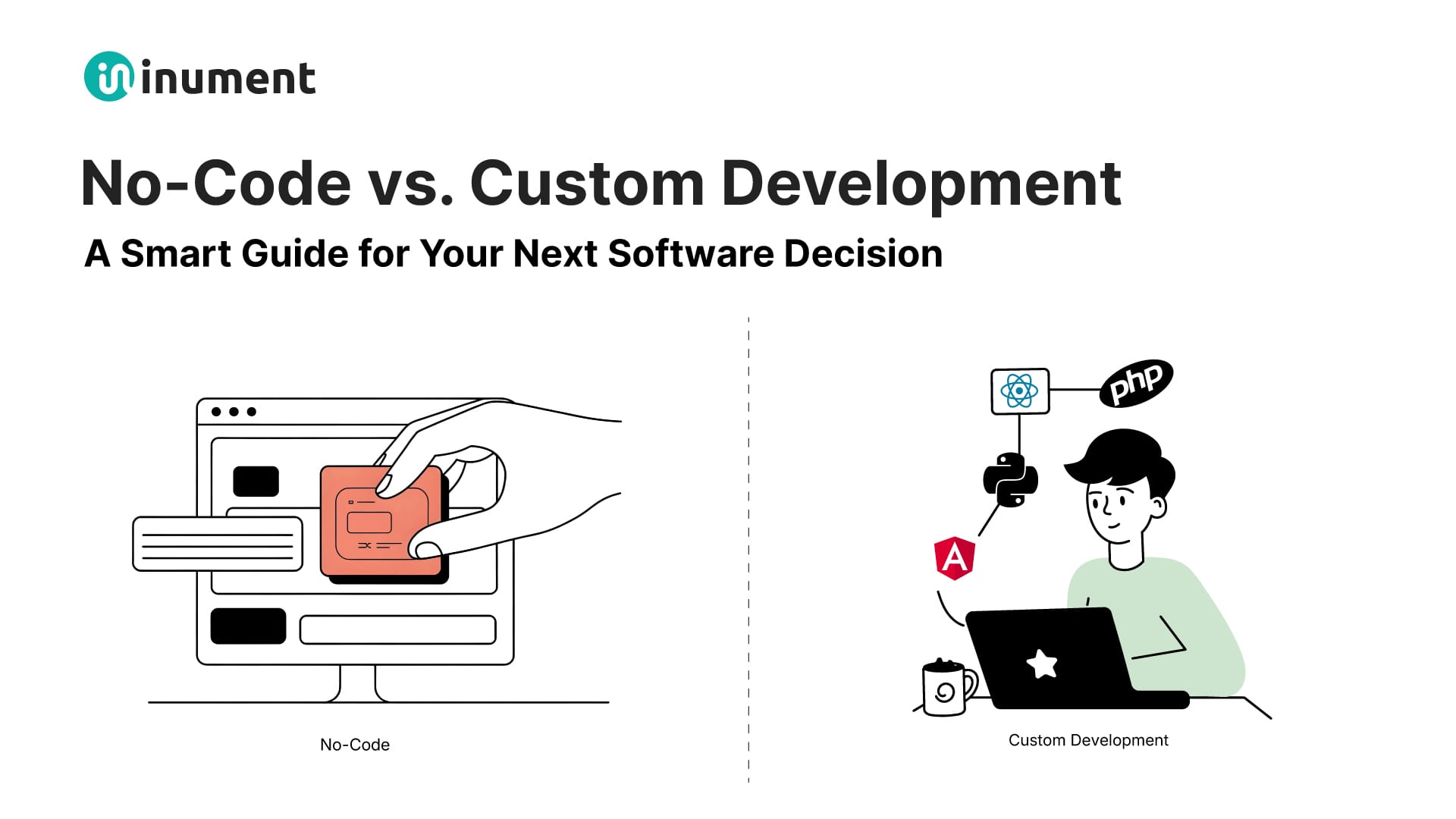
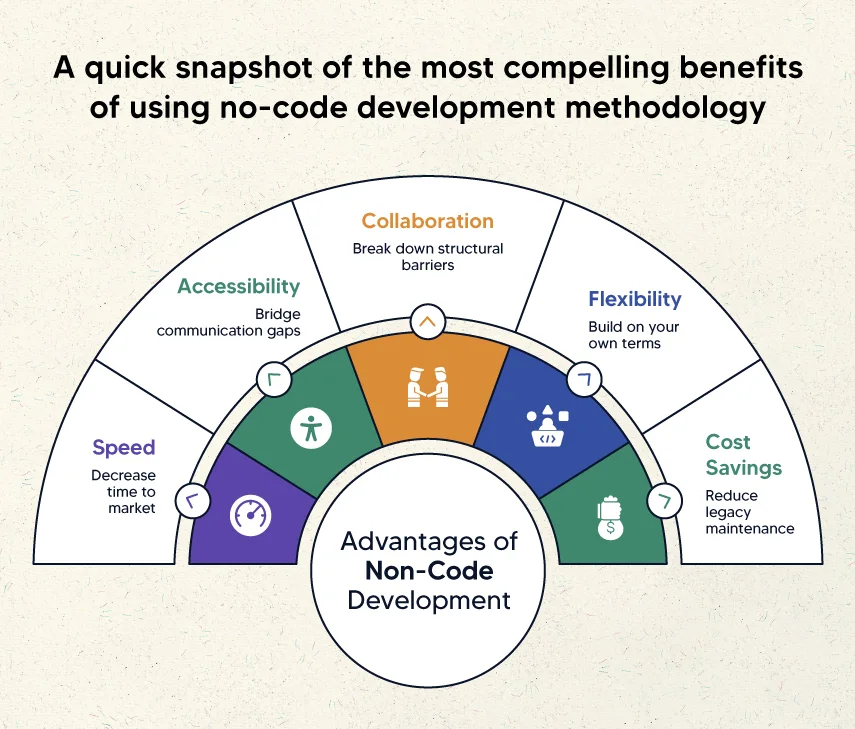
“.Thanks for this clear comparison of no-code vs custom development! I really appreciated how you outlined the strengths and limitations of each approach — from the speed and ease of no-code platforms that help non-technical founders prototype quickly, to the scalability, flexibility, and performance control that come with custom development. It’s great to see practical guidance that helps teams decide which path fits their business goals, complexity requirements, and long-term vision without glossing over the trade-offs involved.On a related note, I have read a similar blog on https://mobisoftinfotech.com/services/golang-consulting-development where the focus is on custom golang development services and how professional support can help teams build scalable, efficient backend applications using Go — a useful complement if anyone is exploring the custom development side of technology choices alongside no-code options.Great article — thanks for sharing these helpful insights!”
marcus baker
6 February 2026
“.Thanks for this clear comparison of no-code vs custom development! I really appreciated how you outlined the strengths and limitations of each approach — from the speed and ease of no-code platforms that help non-technical founders prototype quickly, to the scalability, flexibility, and performance control that come with custom development. It’s great to see practical guidance that helps teams decide which path fits their business goals, complexity requirements, and long-term vision without glossing over the trade-offs involved.On a related note, I have read a similar blog on https://mobisoftinfotech.com/services/golang-consulting-development where the focus is on custom golang development services and how professional support can help teams build scalable, efficient backend applications using Go — a useful complement if anyone is exploring the custom development side of technology choices alongside no-code options.Great article — thanks for sharing these helpful insights!”
Vincent S. Quintero
19 February 2026
“This article presents a fair comparison between both approaches. https://mobisoftinfotech.com/services/software-development-company Businesses that outgrow no-code tools often move toward custom software development services for deeper integrations and performance control. Nicely balanced analysis.”