A Python application can keep running long after the runtime underneath it becomes unsupported. That is what makes end-of-life software easy to ignore.
Python 3.10 reached end of life on October 1, 2026. Python 3.10.22 was its final release, and the Python project confirmed that the 3.10 series will receive no further security updates.
For production teams, this does not mean every application suddenly stops working. It means the runtime is frozen while the systems around it continue to change.
The question is how to upgrade without creating a larger production problem.
What Python 3.10 EOL Actually Means
End of life does not mean end of execution.
A Python 3.10 application can continue processing requests, running jobs and serving customers. But upstream security support has ended. If a new vulnerability affects the runtime, teams should not expect another official 3.10 release to patch it.
That creates an important distinction:
Working software is not necessarily supported software.
This matters most for systems handling customer data, financial transactions, APIs or other sensitive workloads.
The Upgrade Is Bigger Than Python
Changing the runtime version is usually the easy part. The real migration starts when the application meets the new environment.
A production Python system may depend on frameworks, packages, database drivers, containers, CI pipelines, and native extensions.
Moving to a newer Python version can expose old assumptions. A dependency may not support the target runtime. A framework may require an upgrade. A C extension may need a compatible build.
This is why runtime EOL can become part of a wider modernization discussion. For organizations evaluating legacy system modernization services, the Python deadline can be a useful trigger to review dependencies, deployment processes, architecture and technical debt together.
Do Not Upgrade Into Another Deadline
One common response is to move from Python 3.10 to Python 3.11 because it is the closest supported version.
That may work, but it may not give the best support runway.
Python 3.11 is scheduled to reach end of life in October 2027. Python 3.12 follows in October 2028, Python 3.13 in October 2029, Python 3.14 in October 2030 and Python 3.15 in October 2031.
The newest release is not automatically the right target. The decision depends on framework support, package compatibility, infrastructure readiness, and operational risk.
A better question is:
Which supported Python version gives us the best balance of compatibility, stability, and remaining support life?
Start With an Upgrade Audit
Before changing production, understand what production depends on.
Identify where Python 3.10 is running, which packages are version-sensitive, whether Docker images or CI runners are tied to the current runtime, and whether the application uses C extensions or compiled components.
Then review whether existing tests can detect migration-related behavior changes.
This audit turns the upgrade from guesswork into an engineering plan.
Test the Target Version Before Production
A runtime migration should happen in the delivery pipeline before it happens in production.
Build the application with the target Python version. Install dependencies in a clean environment. Run unit and integration tests. Exercise databases, APIs, background jobs, and external services. Then test representative workloads in staging.
This is where quality assurance and software testing become part of the migration itself.
The objective is not simply:
“Does the application start?”
The better question is:
“Does the application behave correctly under production conditions?”
Upgrade Dependencies Deliberately
Updating everything at once may feel efficient, but it makes failures harder to diagnose.
If the Python runtime, framework, database client, and major packages all change in one deployment, the source of a regression becomes difficult to isolate.
Where possible, break the work into smaller steps.
Establish a stable baseline. Upgrade dependencies that block the target runtime. Test again. Move to the new Python version. Test again. Handle optional modernization separately.
Smaller changes make troubleshooting and rollback easier.
Give Production a Rollback Path
Passing CI does not eliminate production risk.
Before deployment, define what happens if the new runtime causes unexpected behavior. That may mean staged deployment, canary releases, blue-green infrastructure, or another controlled rollout.
Monitor error rates, response times, background jobs, resource usage, and critical integrations.
Make sure the previous stable deployment can be restored quickly.
The Real Cost of Waiting
The risk of staying on Python 3.10 is not that the application suddenly stops working.
The risk is that migration becomes harder while the team waits.
Dependencies move forward. Supported platforms change. Knowledge about older systems fades. New security issues may appear. Meanwhile, the gap between the production environment and a supported environment grows.
Eventually, a planned engineering task can become an emergency migration.
For some systems, the work may be straightforward. For others, the upgrade may reveal dependency or infrastructure debt and require a dedicated software development team to modernize safely.
Plan the Upgrade Before the Upgrade Plans You
Python 3.10 had a five-year lifecycle, and that lifecycle is now complete.
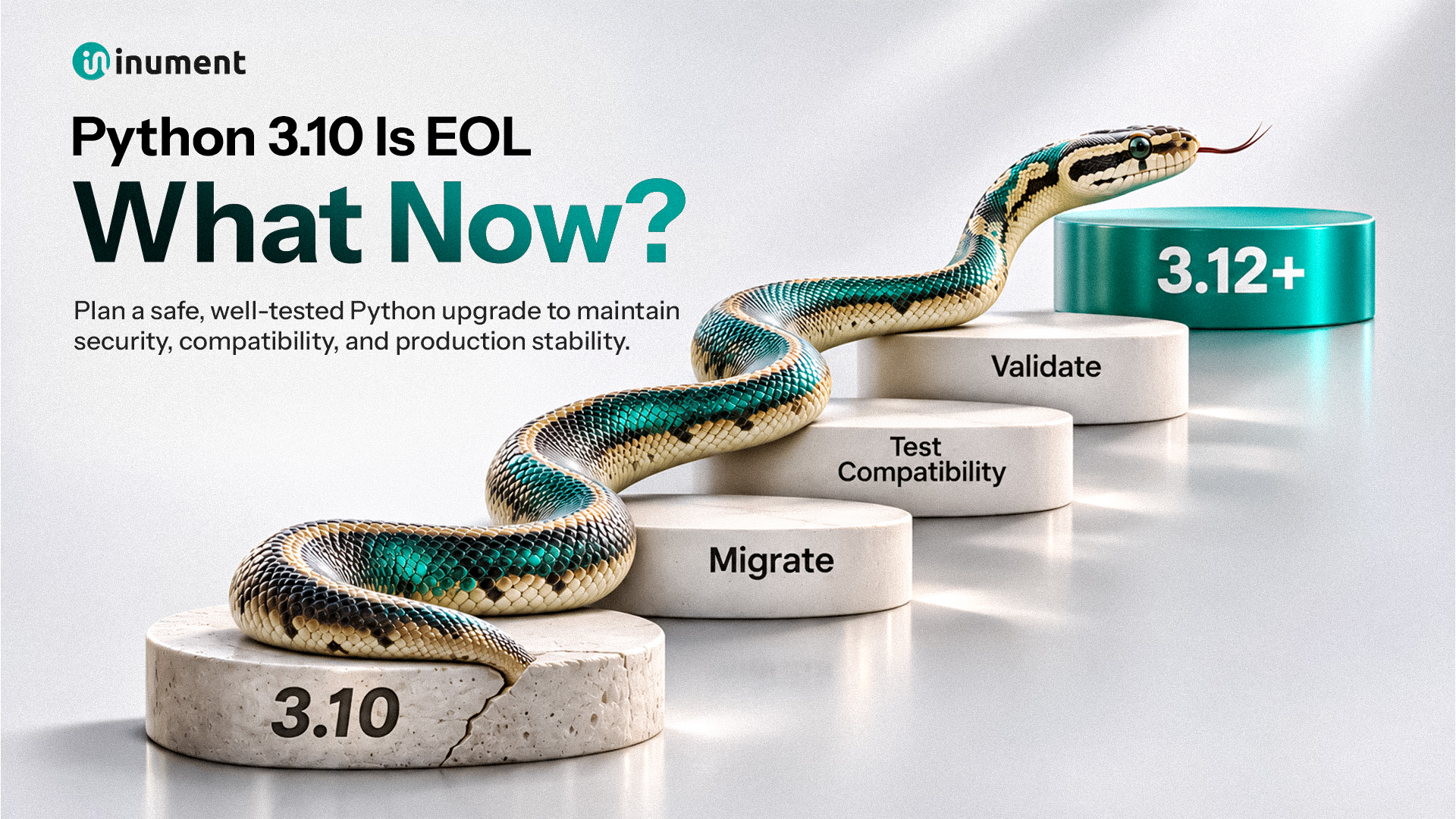
Production teams should treat this as a planning signal: understand the current environment, choose the target version based on compatibility and support runway, test the application stack, fix migration issues before deployment, and roll out with visibility and a rollback path.
A runtime migration carried out on your own schedule is engineering.
A runtime migration triggered by a security or production incident is firefighting.
The code may still work today.